

How to Book Childcare

Login to your SWEATFORM account here. Navigate to the MY INFO tab and click 'Edit.'
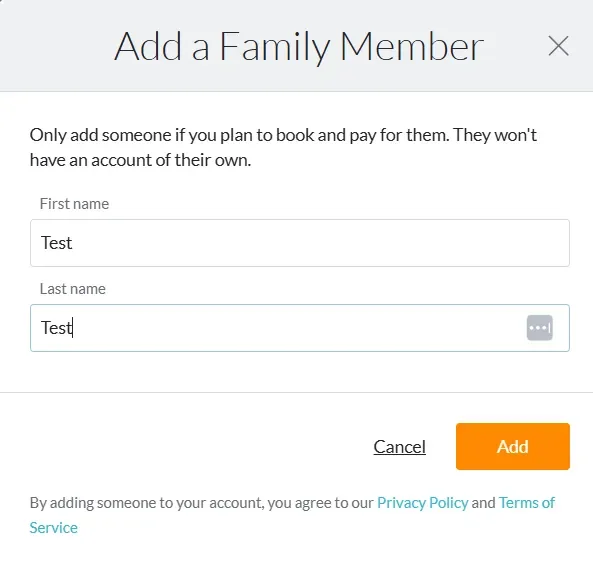
Add any child that will attend childcare as a family member on your account.
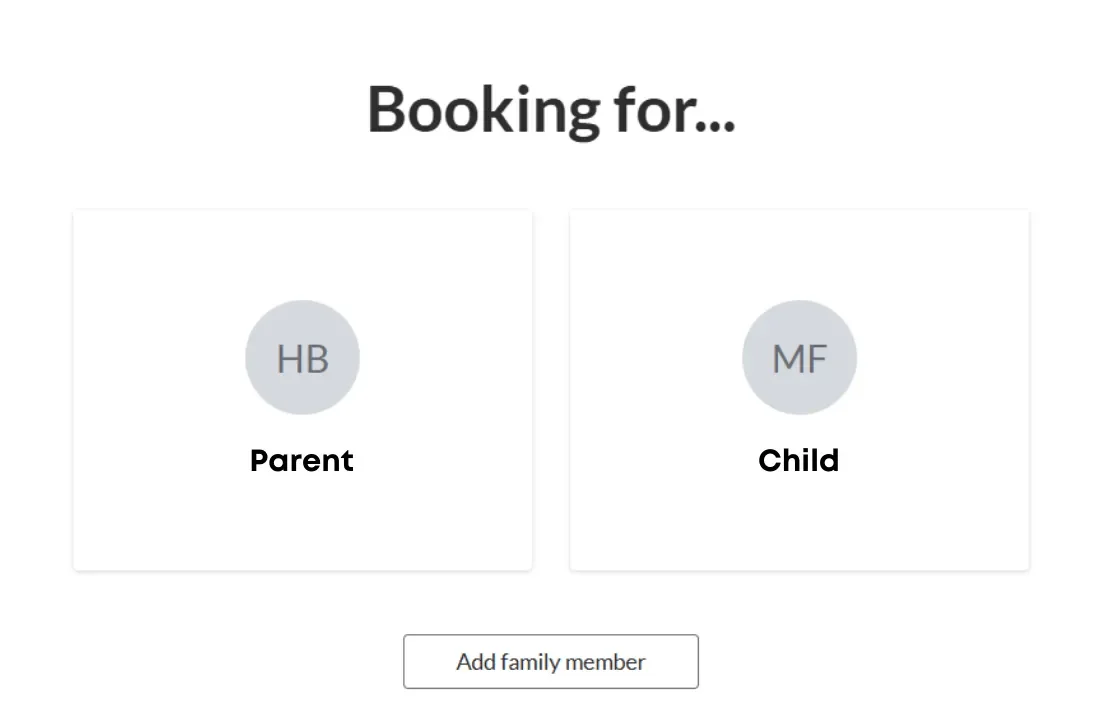
Go back to the booking screen and click on the child that was added to finish setting up their profile. This must be done in order for them to get added into our system.
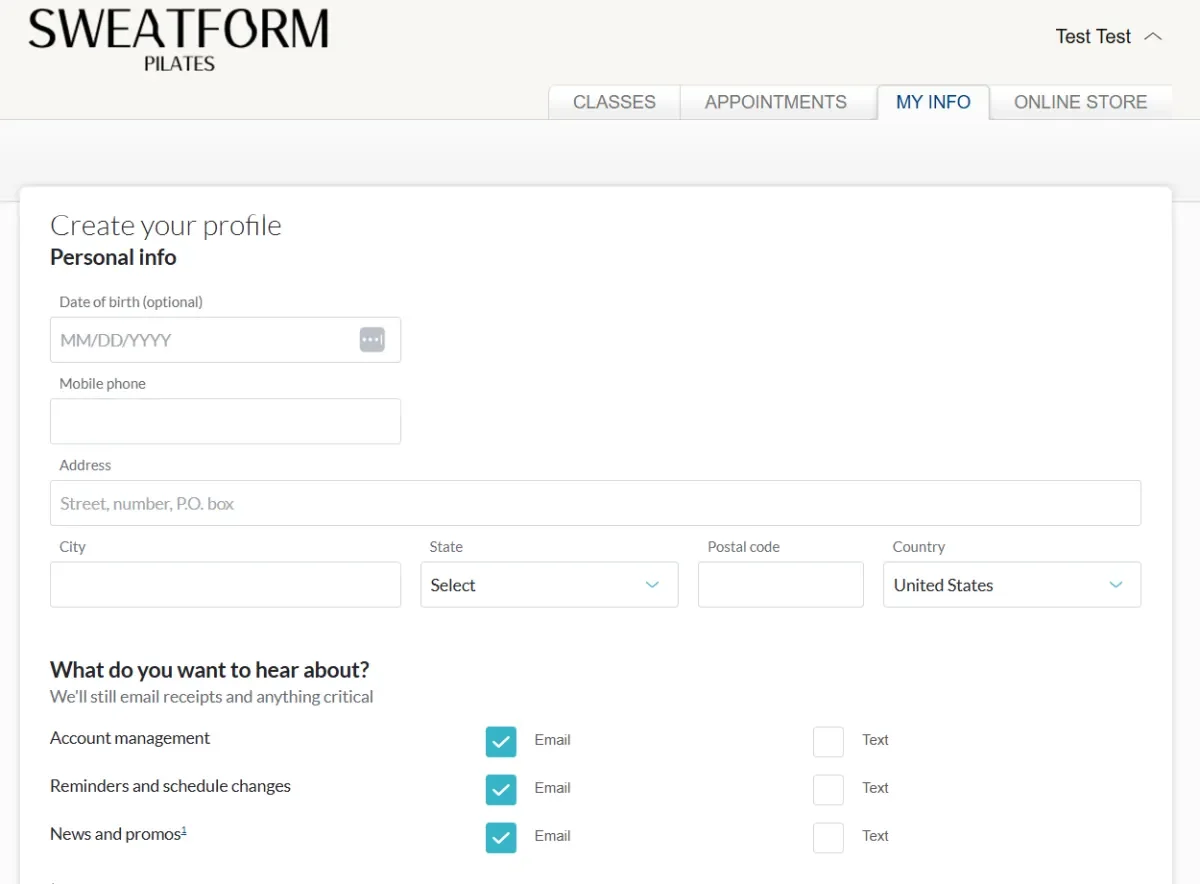
Fill out all of the required information, read and sign the waiver at the bottom, and then click save. You must do this for each child.
Once you've completed the profiles for all of your children, please send us a text at 801-921-8515 with your name and the name of your kid(s) and we will link them to your profile so you can book and pay for their childcare on behalf of them.
When making a childcare booking, select the child as who you're booking for. A separate booking is required for each child.
TO MANAGE OR CANCEL YOUR CHILDCARE RESERVATIONS:
- Via the MINDBODY app: Click 'Profile' in the bottom menu, click the profile name at the top with the drop-down arrow next to it, toggle to the child's account, and then you'll see all of their past and future reservations.
- Via MINDBODY online: Login to your account. In the upper right corner click your name with the drop-down arrow next to it. Right below your name click 'switch accounts.' Select the child's name. Click their name now with the drop-down arrow in the upper right corner. Click 'Schedule' and manage their past and future reservations there.
- Via the SWEATFORM website: In the upper right corner click 'Login | Register.' Login to your account. Select the child you want to manage. Click 'Schedule' to manage past and future reservations.
The fee for no-showing your childcare reservation is $4 per reservation. There is no late cancel fee for childcare. Please cancel your childcare reservations if you no longer need them.